Skip navigation

New theme – Vintage

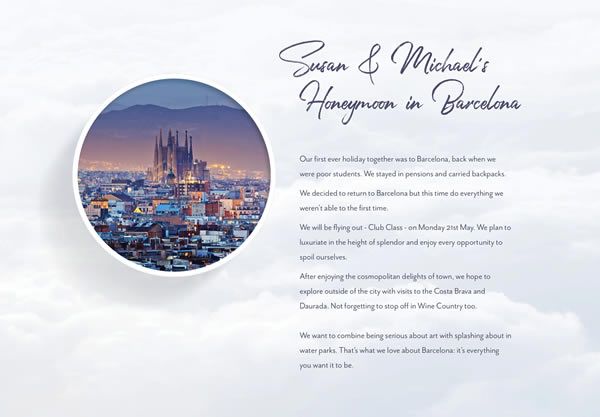
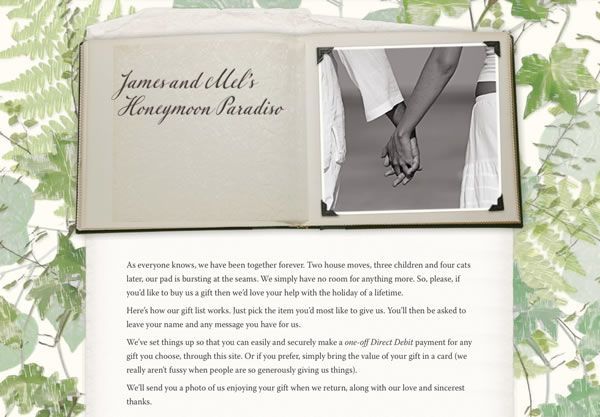
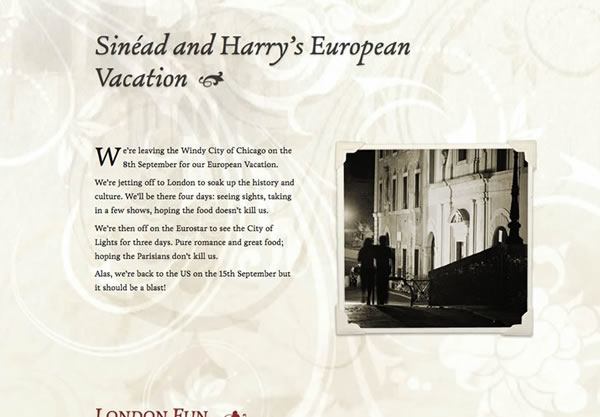
We’ve now released a brand-new design theme for Buy Our HoneymoonVintage. Evoking the sophisticated 1940s or the glamorous 1950s, it features a beautiful floral patterned background, a muted colour palette, and stylish inset photography.

It’s the first theme we’ve designed from scratch since we upgraded all our themes earlier this year to enable you to upload your own photos into the design and to use special fonts for your registry title and category names. Naturally, Vintage can also be fully customised, and (if you’ll forgive me) features the best uppercase-H of any font I’ve ever seen!

Vintage is suitable for any honeymoon destination (though we think it’ll work particularly well for adventures in Latin America or romance in Western Europe) and it’s available right now for all our customers.  Just log in and click the purple Theme tab, or click here to start your free trial.

Registry cards to coordinate with the new design will be available from Monday for our customers in the UK and EU.

We’ll also have a new sample list using Vintage available as soon as possible — but for now, here’s James and Mel’s Honeymoon Paradiso in the new theme.

We’re always on the lookout for new ideas for design themes we could offer, so if you feel there’s a gap in our repertoire, please don’t hesitate to let us know.

And, to stay right up-to-date with all the latest developments, why not become a fan on Facebook, or follow us on Twitter.

So You’re EnGAYged

We’re completely thrilled to have been approved as a pro-gay wedding vendor on So You’re EnGAYged, an excellent wedding resource for same-sex and allied couples.

So You're EnGAYged

So You’re EnGAYged lists vendors based on their answers to a questionnaire regarding their relationship with the LGBT community and their support of LGBT rights. Although we don’t specifically ask couples signing up to use the site whether they’re same-sex, around 1.5% of couples signing up provide a title (Mr/Ms etc) for both partners that suggests a same-sex marriage. We believe our site uses gender-neutral vocabulary throughout and, just as a small courtesy, if you indicate through your choice of titles that you’re a same-sex couple, we remove our bride-and-groom cartoon from the masthead of your management screens and of course your registry itself.

As well as a vendor directory, soyoureengayged.com is also an active blog featuring gay weddings and engagements, together with news, ideas, polls and competitions.  You can also follow @soyoureengayed on Twitter. We’re very grateful to have been listed, and look forward to the continued success and growth of the site!

If you have any queries about our honeymoon registry service, please don’t hesitate to get in touch.

5 fab services found on Twitter

twitterWe’ve been enjoying the Twitter machine for a few months now — it’s great to be able to connect with customers and to keep everyone up-to-date with announcements and developments to the site.  If you don’t already, you should follow us on Twitter here.

It’s also fascinating to chat with other wedding vendors, and to discover new companies offering wedding and travel services that we might not have heard of otherwise.  So, since it’s a Follow Friday, we thought we should do our bit to help raise the profile of some of the most unusual of these.

BrideTide — @bridetide, www.bridetide.com

Prolific and consistentlty interesting on Twitter itself, BrideTide is a dedicated wedding news portal in the mould of Digg or Reddit, collecting together the best wedding blog posts, tips, trends and advice from around the web. Free to join, BrideTide users can vote and comment on all stories and contribute their own links and discussion topics.

Wedcycle — @wedcycle, www.wedcycle.com

A brand new site currently offering free membership, Wedcycle lets you pass on items from your wedding such as tealights, table centrepieces, flowerpots and so on.  Rather than letting these gather dust in the attic, you could list them on Wedcycle for other couples to collect and use in their own weddings!

ooh.com — @oohdotcom, www.ooh.com

A great way to research and book activities for your honeymoon, ooh.com lists fresh events, tours, and experiences. Activities are added to the site by independent individuals and companies, who offer a huge variety of things you’d normally never hear about, in locations all over the world.

Wish Lanterns — @wishlantern, www.weddingwishlanterns.co.uk

Beautiful and safe, wedding sky lanterns are a more peaceful alternative to fireworks, traditionally used in Asia and available from Wish Lantern in the UK and USA. The lanterns symbolise the release of your worries and problems, and people have the option of writing a wish on a little tag and attaching it to the lantern for the bride and groom to send up into the skies.

Creative Custom Card Boxes — @cardboxdiva, www.creativecustomcardboxes.com

With many of our customers opting to receive the value of their honeymoon gifts in a card on the day of their wedding, how could we resist Marni Gold’s handmade, bespoke card boxes? Each box is unique, completely personalized to match your wedding, and a great way to keep your wedding cards safe long after your big day.  Shipping is free within the USA, and available worldwide.

And of course, that’s just scratching the surface, without even mentioning great wedding blogs like @rocknrollbride, handmade stationery artists such as @weddingpara, or brilliant wedding photographers like @bigbouquet.

Do you have any recommendations of other fab wedding and travel services to follow? Let us know in the comments, or of course, by sending us a message @buyourhoneymoon.

Download your Gift History to Excel

excelWe’ve recently had a couple of requests to be able to download your Gift History to a Microsoft Excel spreadsheet, and we agree that this would be a useful addition to the site to help you manage your thank-you cards and messages.

So now, once you’ve received any gifts on your honeymoon wedding list, if you log in and click through to the Gift History tab, there’s a link at the foot of the page to do precisely this.

If you have a copy of Excel, or any other spreadsheet application that can open Excel documents, you can download an updated version of this file as often as you like.

This allows you to sort and filter your gifts by any criteria you choose — for example, you could view only the gifts where you haven’t yet received payment, sorted by your guests’ email addresses.

It’s a small new feature, but one of many we have lined up as we approach the New Year.  We hope you find it useful!

Gift notifications for guests

Here at Buy Our Honeymoon, we’re endlessly searching for ways to make sure the experience of reserving gifts from your wedding list is as smooth and enjoyable for your guests as possible. Every week, thousands of gifts are made through the site without a hitch, but we’re still always on the lookout for anything that might be confusing or difficult, and then trying to make it easier.

It’s great how people become really involved in choosing their gifts from a couple’s honeymoon registry. Instead of a bland decision between different assortments of silverware, guests are able to give very personal, meaningful presents. So, occasionally, a guest will reserve a gift through the site, and then right away notice something else they’d much prefer to give instead!

The notification emails sent to you when you receive a gift through the site have always been delayed by an hour, so that guests can contact us if they’ve reserved a gift in error or wish to change their mind. But we’ve now improved this by offering a simple way to cancel a gift as soon as it’s made, directly through the site.

Previously, the site would send a confirmation email to a guest immediately when a gift was reserved, but we’re now introducing an hour’s delay to this as well.  This means that guests won’t get a misleading email confirmation for a gift they’ve cancelled.

It also means that we can note in the email whether or not we’ve received confirmation of a successful payment for the gift. Often, guests click through to pay the value of their gift straight into your PayPal account as soon as they reserve their gift — but because we’d already sent the email, we couldn’t acknowledge this.

We hope that these changes help to further clarify the gift confirmation messages shown to guests.  We also have additional improvements to the Gift Review screen in the works for later this year — watch this space or follow us on Twitter for all the latest developments!

Lots of small updates

We’ve got some great things cooking for the rest of the year, but we’re always making small improvements and little changes to Buy Our Honeymoon in response to customer feedback and enquiries from guests.

  • We’ve added Argentine pesos, Colombian pesos, Bahraini dinars and Icelandic króna to the set of display currencies you can use for your honeymoon registry.  Because PayPal don’t keep account balances in any of these currencies, you can’t use them to collect your actual gifts — but you can list your registry items in any of the 24 currencies we support, and we’ll automatically convert your gifts to your PayPal currency using exchange rates refreshed every day.
  • For customers who choose not to use PayPal to collect the value of your gifts, the button to move through to the screen showing your payment instructions and thank-you text now says How to pay instead of Review your gifts.  We found that, very occasionally, guests found the previous wording confusing.
  • Since late April, any links you add to your wedding list intro texts, payment instructions or item descriptions will now open in a new window.
  • We’ve improved the search on our homepage to better recognise when a guest enters both surnames or the registry URL by mistake.
  • In May, we improved the accuracy of the visitor counts for your registry pages in your Gift History.
  • We’ve improved the way all our design themes handle really long category names, and our Parchment and Lace theme is now more robust in older versions of Internet Explorer.
  • Finally, your honeymoon registry will now respond a little more intelligently when it looks like you’ve made a test reservation for yourself.

For news on all the very latest updates and improvements to Buy Our Honeymoon, join us on Facebook, or follow us on Twitter!

The Top 5 theme customisations (so far)

Since we launched our customisable themes earlier this year, we’ve been fascinated to see the different photos you’ve uploaded, and the ways you’ve found to make our designs all your own.

A great many of the images you’ve used have been incredibly beautiful, or really creative, or both — so we thought it might be nice to show some of them off. Of course, we don’t have room to highlight all the fantastic images and pages our customers have put together — and we love many more than we can show! — but here are five of the very best.

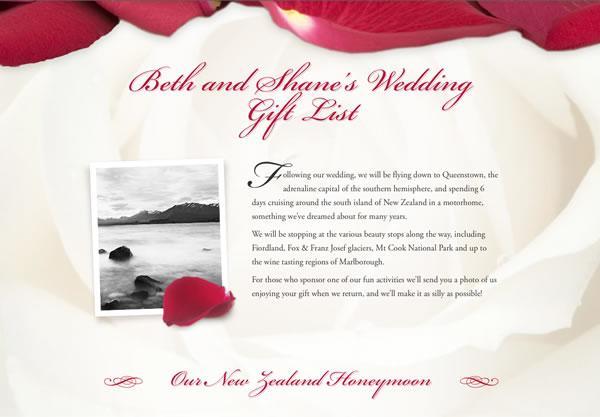
parchment

In one of the very first customisations made on the site, Craig and Maggie have found the perfect image of Paris to use with our Parchment and Lace theme.

scrapbook

Most of our customers like to use a photo of themselves on their honeymoon gift list, but we just love Christine and Kyle’s take on this!

mistypeaks

The lighting and colour in this photo, used with our Misty Peaks theme, is simply outstanding.

safari

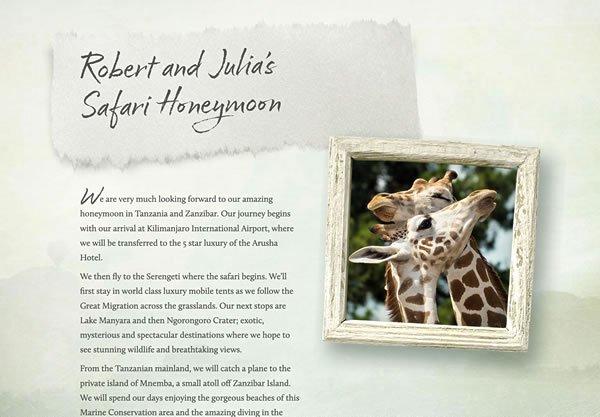
And this photo is so appropriate for our Safari theme, I’m almost sorry we didn’t make the default image just like it!

flowerpower

Lastly, whilst a few couples have noticed that black-and-while images look great in our Flowerpower theme, we couldn’t resist this piggy bank with a “honeymoon” label.

As always, if you’ve got any queries about making your honeymoon registry pages as awesome as these examples, please do get in touch!

Adding a password to your pages

If you’d like to add an extra level of privacy to your wedding gift list, you can now ask your guests to enter a password on your introductory page before they can view your full registry.

password

One of the great things about Buy Our Honeymoon is that you can set up payment for your gifts in whatever way suits you best. We’ve integrated PayPal into the site so that your guests can quickly and easily pay you directly using their credit or debit card — but you don’t have to use this option if you don’t want to.

If you’ve included payment instructions on your registry that you want to keep private, adding password-protection to your list will help make sure of this.

This feature is just one of our free extra services. If you’d like to set up a guest password for your registry, just contact us and let us know what password you’d like to use.

And — if you’re a customer in the UK, don’t forget that you can customise the text of your registry cards to include your guest password!

Customising themes for different destinations

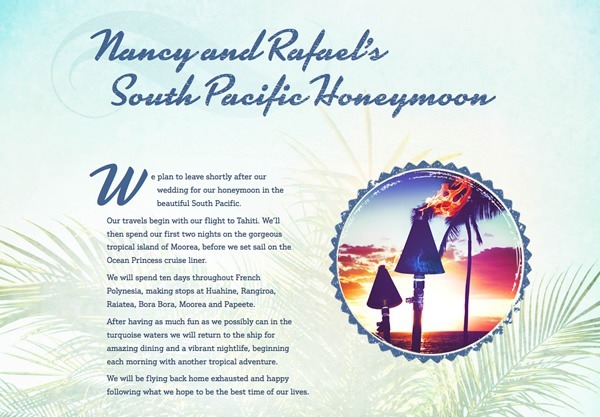
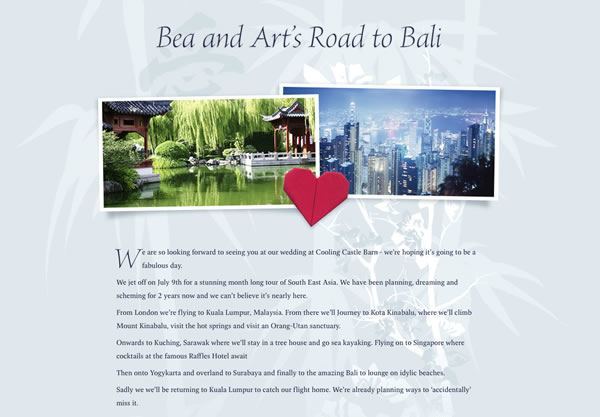
One of our aims in our recent launch of customisable themes on Buy Our Honeymoon was to make each design more versatile for different destinations and types of honeymoon.  We’ve just added a couple of new sample lists to the site that we think really illustrate this.

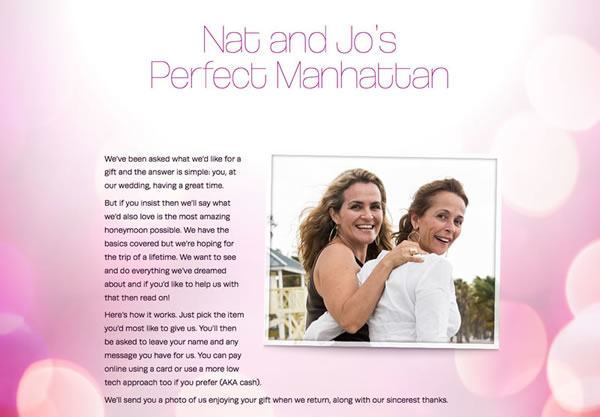
Nat and Joe’s Perfect Manhattan uses our Vegas, Baby! theme for a Christmas honeymoon in New York:

vegasbaby

By uploading images of the Statue of Liberty and Times Square, all trace of Las Vegas vanishes from the design, leaving the bright lights of the Big Apple to shine through!

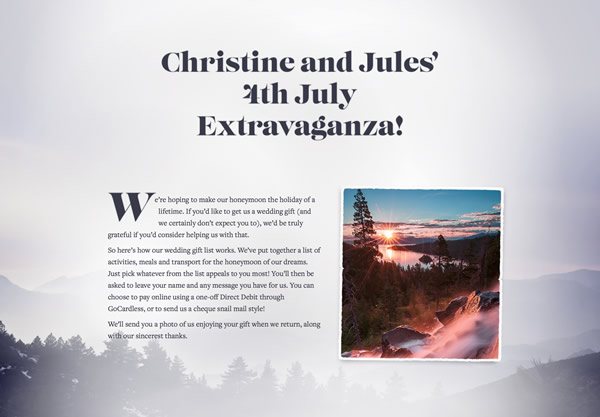
Similarly, our Misty Peaks theme was originally designed with wintery, snow-dusted honeymoons in mind. But customising the images for Christine and Jules’ 4th July Extravaganza transforms it into the backdrop for a two-week summer honeymoon on the shores of Lake Tahoe:

mistypeaks

All our themes can now be customised with your own images in this way — so the beach sunshine of Paradise could be adapted for a luxury cruise, the vintage Americana of Road Trip could be adapted into the heat and passion of Brazil, or the Mediterranean vinyards of Scrapbook could become the lush forests of New Zealand.

If you have any queries on how to customise your honeymoon gift list please just get in touch and we’ll do our best to help!

A Small Change to Guest Payments

We introduced the Gift Review screen back in 2007 so that guests who reserved more than one item from your list could click through to your PayPal account to pay for all their gifts in one transaction. Your thank-you text and payment instructions would then be shown as part of the confirmation of reserving a gift on your list page as it always had, and would also be shown on the Gift Review screen.

We’ve recently been thinking about this process, and we think it works better to only show your thank-you text and payment instructions on the Gift Review screen. The confirmation message is now much simpler and there’s less opportunity for confusion.

Screenshot of new confirmation message

All registries created from 14 May will use this new setting (and all our samples also do, if you’d like to try it out).

We’ve kept things the old way for our previous customers so that your pages aren’t changed unexpectedly — but if you’d like to switch over, please just let us know and we’ll be happy to arrange that for you right away.